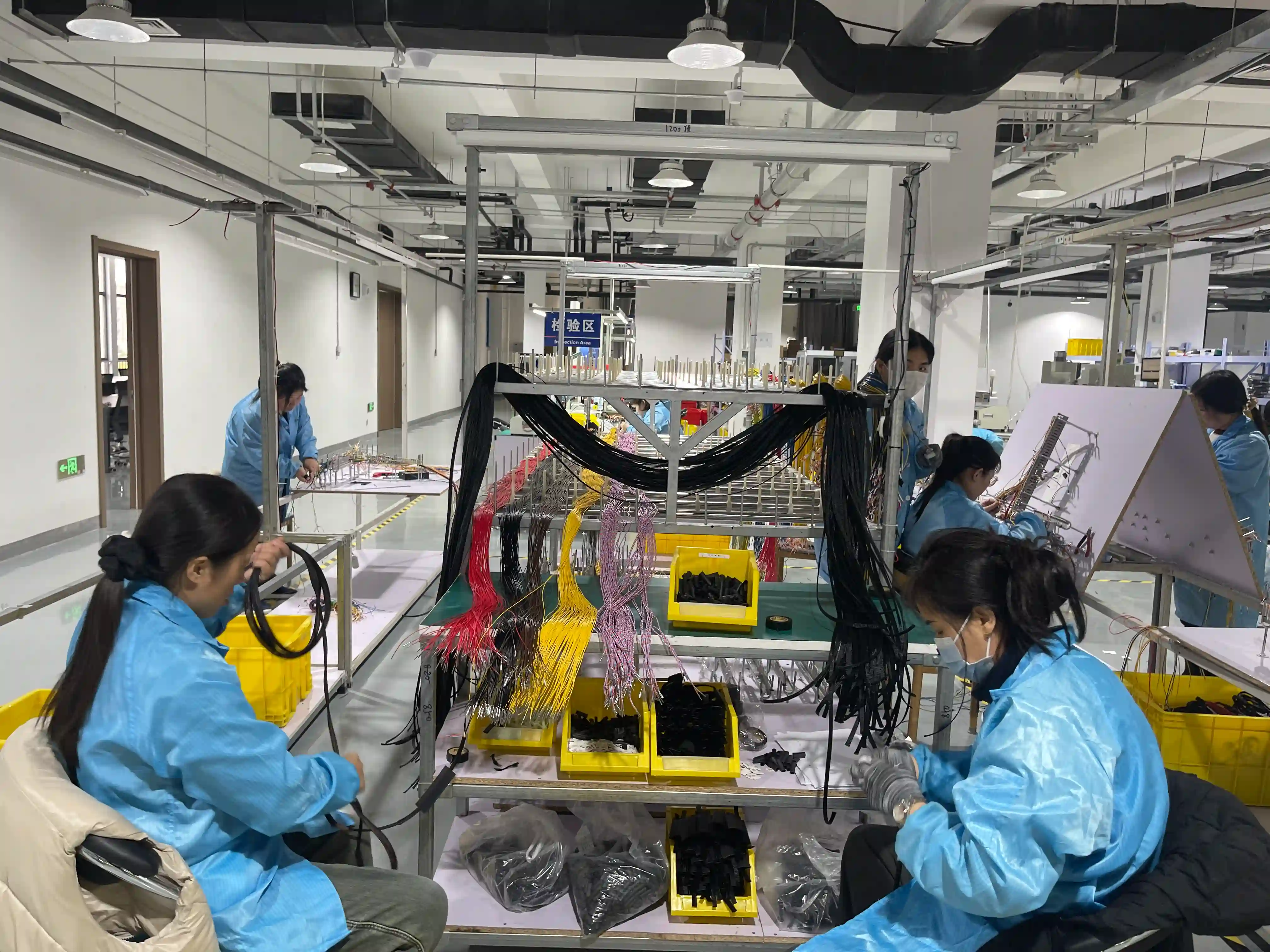
Wire harness routing isn't just about getting cables from point A to point B—it's a critical engineering discipline that directly impacts manufacturing costs, product reliability, and field serviceability. Poor routing decisions made early in the design process often result in expensive redesigns, assembly line inefficiencies, and premature field failures.
Whether you're designing harnesses for automotive applications, industrial machinery, or medical equipment, these seven routing optimization techniques will help you create more manufacturable, reliable, and cost-effective wire harness designs.
Benefits of Optimized Routing
15-25% Cost Reduction
Optimized paths reduce wire length and assembly time
Improved Reliability
Proper routing prevents wear and thermal damage
Easier Serviceability
Planned access points reduce maintenance time
Faster Assembly
Logical routing reduces installation errors
Define Routing Zones Early in the Design Process
Before routing a single wire, establish designated cable pathways within your product enclosure. This "zone-based" approach divides the available space into logical routing corridors, preventing the ad-hoc cable routing that leads to manufacturing chaos and service nightmares.
Types of Routing Zones to Define:
High-Voltage Zone
Dedicated paths for power cables (>50V), separated from signal wiring by minimum 50mm
Signal Zone
Low-voltage analog and digital signals, isolated from power interference sources
Shielded Zone
EMI-sensitive cables like CAN bus, Ethernet, or sensor signals requiring shielding
Flex Zone
Paths for cables that must flex during operation, like robot arm or hinge connections
When working with OEMs on custom wire harness designs, we always request early involvement in zone definition. This collaboration prevents situations where the enclosure design is finalized with inadequate cable routing space—a common cause of project delays and redesign costs.
Treating routing as an afterthought creates interference, inadequate bend radii, and poor service access. Routing zones should be defined before the enclosure and sheet metal are finalized.
Optimize Bend Radius for Wire Type and Application
Bend radius is perhaps the most critical—and most frequently violated—routing parameter. Cables bent too tightly experience conductor stress, insulation damage, and accelerated fatigue. Yet designers often prioritize compact routing over proper bend radius, creating reliability problems that don't appear until months or years after installation.
| Cable Type | Minimum Bend Radius (Static) | Minimum Bend Radius (Dynamic) | Notes |
|---|---|---|---|
| Single Conductor Wire | 4× cable OD | 10× cable OD | Standard hookup wire |
| Multi-Conductor Cable | 6× cable OD | 12× cable OD | Jacketed cables |
| Coaxial Cable | 5× cable OD | 15× cable OD | RF signal integrity critical |
| Fiber Optic | 10× cable OD | 20× cable OD | Attenuation sensitive |
| High-Voltage (EV) | 8× cable OD | 15× cable OD | Per ISO 6722 requirements |
| Flat Flex Cable (FFC) | 6× cable width | 10× cable width | No twist allowed |
Dynamic vs. Static Applications
Dynamic (flexing) applications require significantly larger bend radii than static installations. A cable routed through a robot arm harness may flex millions of times over its life. Using static bend radius specifications for such applications guarantees premature failure.
For proper wire selection that meets your bend radius requirements, refer to our comprehensive wire selection guide which covers conductor materials, insulation types, and application-specific considerations.
Minimize Cable Length Without Compromising Service Access
Every extra centimeter of wire costs money—not just in material cost, but in added weight, increased voltage drop, higher resistance losses, and more difficult cable management. Optimal routing finds the shortest practical path while maintaining proper bend radii and service access.
Length Optimization Strategies:
- 3D CAD Path Analysis: Use electrical routing features in CAD (like Creo Cabling, SolidWorks Routing, or CATIA Electrical) to calculate true routed lengths versus point-to-point estimates
- Connector Placement Optimization: Position inline connectors strategically to minimize main trunk length while enabling modular subassembly
- Junction Box Placement: Locate power distribution points near loads to minimize long high-gauge wire runs
- Service Loop Budgeting: Add exactly enough slack for service access (typically 150-300mm at service points), not excessive "just in case" lengths
For cost-conscious design strategies that incorporate length optimization, see our article on 8 wire harness cost reduction strategies.
Pro Tip: Voltage Drop Considerations
For power circuits, length optimization isn't just about cost—it directly affects voltage drop. Use our voltage drop calculator to verify that your routed cable lengths maintain acceptable voltage at the load. For sensitive electronics, even 3% voltage drop can cause issues.
Plan Thermal Separation and Heat Dissipation
Wire insulation has temperature ratings for a reason. Routing cables near heat sources—exhaust manifolds, power electronics, motors, or heating elements—without proper separation or protection causes accelerated aging, insulation degradation, and eventual failure.
Heat Sources to Avoid
- • Engine/motor surfaces (>100°C)
- • Exhaust systems (up to 600°C)
- • Power electronics heatsinks
- • Lighting fixtures (especially halogen)
- • Resistive heating elements
- • Brake components
- • High-current conductors (self-heating)
Thermal Protection Solutions
- • Maintain 25-50mm minimum separation
- • Use heat shields or reflective tape
- • Upgrade to high-temp insulation
- • Apply heat shrink tubing
- • Use fiberglass or silicone sleeving
- • Route through cooler zones
- • Add thermal standoffs for spacing
For automotive applications, thermal routing is especially critical in engine bay and engine wire harness designs. The temperature differential between winter startup (-40°C) and full-load operation (+125°C) creates thermal cycling stress that accelerates cable aging.
In EV applications, high-current battery cables generate significant self-heating. Our EV high-voltage cable guide covers thermal derating and cooling considerations for 400V and 800V systems.
Design for Serviceability and Access Points
The most elegant routing design becomes a nightmare if technicians can't access cables for diagnosis, repair, or replacement. Serviceability planning should start at the earliest routing concept phase—not added as an afterthought.
Serviceability Design Checklist:
"A service technician once told me that the best wire harness he ever worked on had a small service loop at every connector and clear wire numbers at both ends. Simple things, but they cut his diagnostic time in half. Designers often forget that someone will need to troubleshoot their creation at 2 AM in a cold warehouse."
— OurPCB Engineering Team
For medical and industrial equipment, serviceability often determines whether a product can be maintained in the field or requires expensive depot repair. Proper routing supports modular harness designs where subsystems can be replaced independently.
Address Vibration and Mechanical Strain Relief
Cables routed through vibrating environments—vehicles, industrial machinery, aerospace applications—experience cyclic stress that leads to conductor fatigue and insulation wear. Proper strain relief and vibration isolation protect against these failure modes.
| Challenge | Solution | Application |
|---|---|---|
| Vibration at connector entry | Molded strain relief boots, backshells with flex relief | Automotive, industrial motors |
| Cable chafing against edges | Grommets, edge protectors, conduit through bulkheads | Vehicle chassis, machinery frames |
| Continuous flex motion | High-flex cables, cable track (energy chain) | Robotics, CNC machines |
| Relative motion between assemblies | Service loops, coiled cables, cable carriers | Hinged panels, moving platforms |
| Tension on hanging cables | Cable trays, J-hooks, strain relief clamps | Vertical installations, overhead routing |
10M+
Flex cycles for high-flex robot cables
100G
Shock rating for aerospace connectors
15Hz
Typical automotive vibration frequency
Proper wire termination with appropriate strain relief is essential for vibration resistance. Our crimping best practices guide covers terminal selection and crimp quality for demanding environments.
Implement EMI/EMC Routing Strategies
Electromagnetic interference (EMI) and compatibility (EMC) are increasingly critical as products pack more electronics into smaller spaces. Routing strategies can significantly reduce interference without adding expensive shielding—or can cause problems that no amount of shielding can fix.
EMI-Aware Routing Principles:
- Separate Power and Signal: Maintain minimum 50mm separation between high-power cables and sensitive signal wires. Cross at 90° angles when crossing is unavoidable.
- Minimize Loop Areas: Keep signal and return wires twisted or parallel to reduce the loop area that acts as an antenna for radiated emissions or susceptibility.
- Route Along Ground Planes: When possible, route cables near chassis or enclosure surfaces that serve as ground planes to provide implicit shielding.
- Use Shielded Cables Strategically: Shield high-frequency signals (Ethernet, CAN, RF) but ensure proper shield termination—unterminated shields make EMI worse.
- Filter at Entry Points: Route all cables entering an enclosure through filtered connectors or bulkhead feedthroughs to prevent conducted noise.
Common EMI Routing Mistakes
- • Bundling power and signal cables together for "neat" appearance
- • Running cables parallel to switching power supplies
- • Terminating shield at only one end (creates antenna)
- • Using long pigtail connections for shield termination
- • Creating ground loops with multiple shield termination points
For automotive applications, EMC requirements are governed by CISPR 25 and OEM-specific standards. Learn more about how EMI considerations affect modern vehicle harnesses in our automotive wire harness trends 2025 article.
Routing Approach Comparison: Before vs. After Optimization
The following comparison illustrates the tangible benefits of applying systematic routing optimization versus ad-hoc "fit where it works" approaches.
| Factor | Ad-Hoc Routing | Optimized Routing | Improvement |
|---|---|---|---|
| Wire Length | Baseline 100% | 85-90% | 10-15% reduction |
| Assembly Time | Complex, error-prone | Logical, efficient | 20-30% faster |
| Field Service Time | 1-2 hours for repairs | 15-30 minutes | 75% reduction |
| EMI Issues | Common, require fixes | Designed out | Near elimination |
| Thermal Failures | Discovered in field | Prevented by design | 90% reduction |
| Design Changes | 3-5 iterations typical | 1-2 iterations | 50% fewer ECOs |
"We tracked a customer project where applying these seven optimization techniques reduced their harness bill of materials by 12%, cut assembly time by 25%, and eliminated all three EMI issues they'd been fighting in previous builds. The total engineering time for routing optimization was about 40 hours—saved many times over in avoided rework and faster production ramp."
— OurPCB Engineering Team
Frequently Asked Questions
What is the minimum bend radius for wire harness cables?
Minimum bend radius depends on cable type: single conductor wire is 4× cable diameter (static) or 10× (dynamic), multi-conductor cables are 6× (static) or 12× (dynamic), and coaxial cables are 5× (static) or 15× (dynamic). Fiber optic requires 10× (static) or 20× (dynamic). Always use dynamic specifications for any application involving movement.
How do I separate power and signal cables for EMI control?
Maintain minimum 50mm separation between high-power (>50V or >5A) cables and sensitive signal wires. When cables must cross, do so at 90-degree angles. Define separate routing zones for power, signal, and shielded cables during the design phase. Use shielded cables for high-frequency signals.
How much service loop should I include in wire harness routing?
Include 150-300mm of service loop at major connection points, depending on connector size and service access requirements. For inline connectors that may need disconnection for service, 150mm is typically sufficient. For main harness termination points that require more working room, 250-300mm is appropriate. Avoid excessive "just in case" lengths that add cost and clutter.
What software tools help with wire harness routing optimization?
Major CAD platforms offer electrical routing modules: Creo Cabling, SolidWorks Routing, CATIA Electrical, and NX Wiring Harness Design. These tools calculate true routed cable lengths, verify bend radius compliance, and detect clearance violations. For schematic-to-harness design, tools like E3.series, Capital, and EPLAN provide integrated workflows.
How do I protect wire harness cables from vibration damage?
Use strain relief at all connector entries with molded boots or backshells with flex relief. Secure cables with clamps at regular intervals (150-300mm) to prevent free movement. Protect cables at edge crossings with grommets or edge protectors. For continuous flex applications, use cable carriers (energy chains) and high-flex rated cables.
Related Resources
About the Author
OurPCB Engineering Team brings over 15 years of combined experience in cable assembly design and manufacturing. The team specializes in automotive, medical, and industrial harness applications, helping clients optimize designs for manufacturability, reliability, and cost-effectiveness.